
700 Intranet Capabilities, Plugged Into Enterprise AI Assistants at Once
Interact Software released Interact MCP on October 26, a Model Context Protocol server that opens the intranet's existing 700 capabilities to authorised AI assistants, covering 26 intranet areas and compatible with Claude, ChatGPT, Microsoft 365 Copilot and Gemini Enterprise.
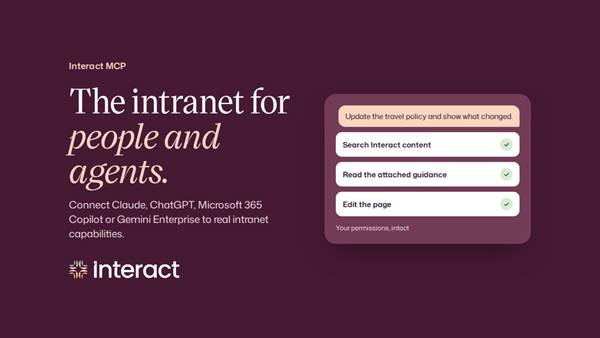
- 01THE LAUNCH — On October 26, Interact released the Interact MCP protocol server.
- 02THE SCOPE — 700 intranet capabilities opened, covering 26 areas.
- 03THE COMPATIBILITY — Compatible with Claude, ChatGPT, Copilot and Gemini Enterprise.
WHAT HAPPENEDWhat Happened
Interact MCP is positioned as a Model Context Protocol server: it opens the intranet's existing 700 capabilities to authorised AI assistants. Coverage spans 26 intranet areas, from content and communications to community and analytics. Employees act with their own existing permissions; the assistant gains no rights beyond the employee's own.
Use cases split by role: employees can find policies by source link; communications teams can update pages; platform leads can compare adoption across groups. The same capability set becomes different workflows in different roles' hands.
THE PERMISSIONSMCP's Selling Point Is That Permissions Do Not Change
The most common sticking point in enterprise AI rollouts is not model capability but permissions: what an assistant can see and what it can change. Interact MCP anchors permissions to the employee; the assistant inherits the employee's existing rights and opens no new doors.
That design hands security responsibility back to the company's existing permissions system. The assistant is not a new privileged account but a tool that walks along existing permissions, with auditing and revocation following the original mechanisms.
THE NUMBERThe 700 Figure Needs to Be Read in Parts
The 700 capabilities are not new features. They are the existing capabilities of the Cue and Conductor products opened through the protocol. The figure's significance is reach, not novelty: functions that once required clicking through the intranet interface can now be invoked in an assistant conversation.
For buyers, coverage is what needs verifying: whether their own high-frequency scenarios are among the 26 areas, and what the assistants' success rate is when calling them. The announcement gives the total, not a per-area availability list.
THE TWO-WAY LINKThe Connection Runs Both Ways
The other half of the announcement is often overlooked: Conductor can also connect outward to MCP-supporting external systems, including Workday and SAP. The link between intranet and business systems becomes two-way, and an assistant can pull data from external systems inside the intranet.
Two-way connection brings value and risk as a pair: workflows become more complete, and the permission boundary more complex. Before switching it on, companies need to confirm that external systems' permissions likewise follow the employee's own authorisation scope.
THE SHIFTWhat Changed
SIGNAL JUDGMENT — ANALYSISAn Assistant's Ability Depends on What It May Legitimately Touch
The Interact MCP release states the enterprise AI contest plainly: models can be generic, but data and permissions cannot. Tokenta Signal's judgment is unchanged: the next threshold for enterprise AI is not model parameters, but whether a permissions system can be safely inherited by an assistant.
WHAT REMAINS UNCERTAINWhat Remains Uncertain
EVIDENCEEvidence
The original announcement confirms the launch points: announced October 26, 700 intranet capabilities, 26 areas, compatibility with Claude, ChatGPT, Microsoft 365 Copilot and Gemini Enterprise, and permissions following the employee.
PRIMARY SOURCESPrimary Sources
- GlobeNewswire: Interact brings 700 intranet capabilities to enterprise AI assistants with Interact MCP
https://www.globenewswire.com/news-release/2026/10/26/3388061/0/en/interact-brings-700-intranet-capabilities-to-enterprise-ai-assistants-with-interact-mcp.html - The News Headliner: Interact brings 700 intranet capabilities to enterprise AI assistants with Interact MCP
https://thenewsheadliner.com/interact-brings-700-intranet-capabilities-to-enterprise-ai-assistants-with-interact-mcp/60629/
RELATEDRelated Intelligence
- Microsoft Winds Down Its Oracle AI Cloud Rental as Older Nvidia Chips Fall Behind
- An Unreleased Anthropic Model Proved an 18-Year-Old Quantum Conjecture, Machine-Checked in Lean
- IBM Unveils Quantum System Two in Chicago, Its Most Advanced Computer Yet, Powered by Nighthawk
- Vistra Posts $1.14B Q3 Profit as Power EBITDA Jumps Over 50%, Lifts 2026 Outlook